BSides Adelaide 2026 Hardware Badge Writeup
Overview
Attending my second BSides Adelaide conference, once again was excited to grab the hardware badge and knock out some challenges.
This years badge appears to be similar to last years 2025 badge, with several 10 bit challenges to enter directly into the badge with buttons.
So join me in looking at the challenges, solving them, and seeing if this is more to this badge!
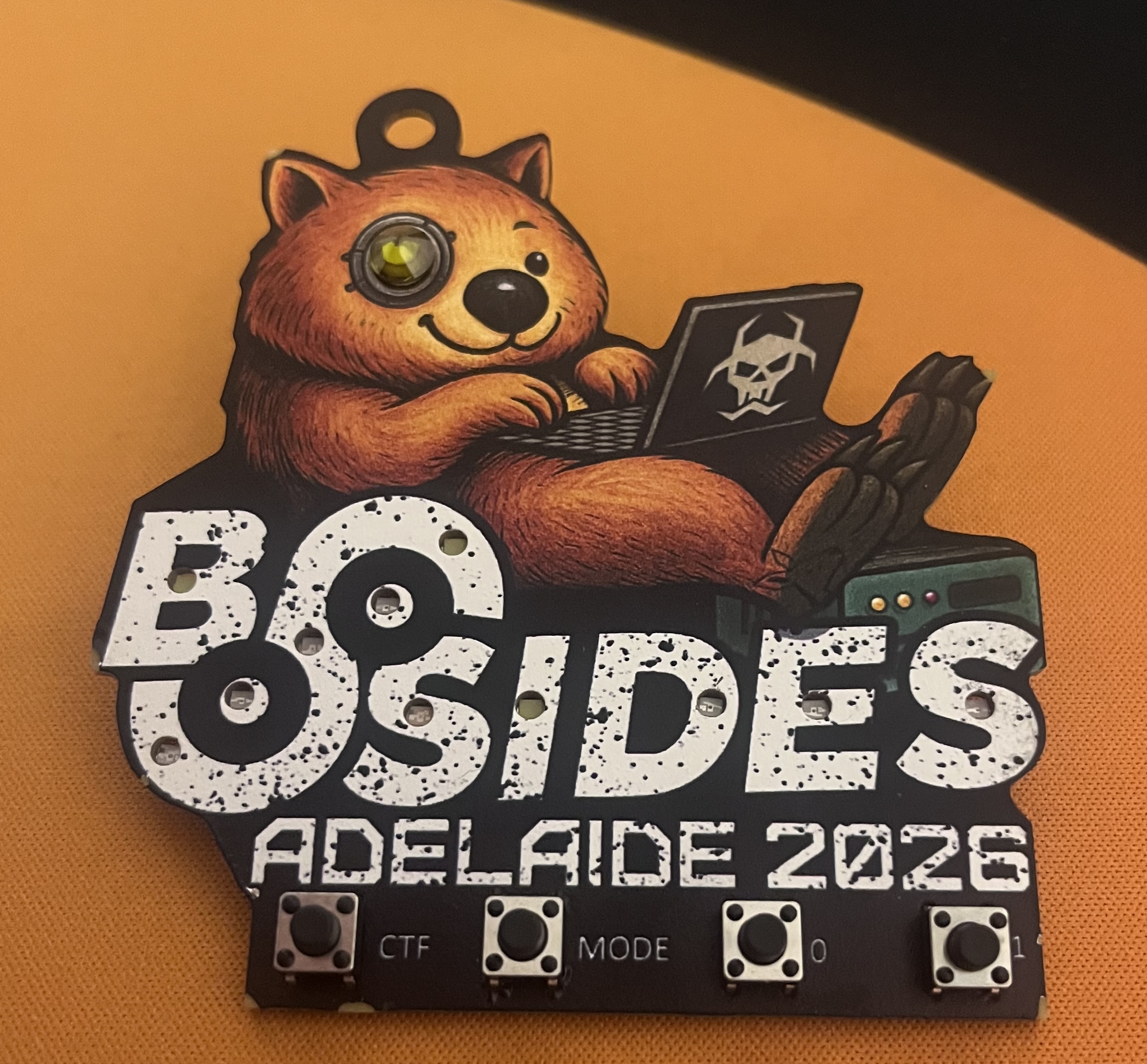
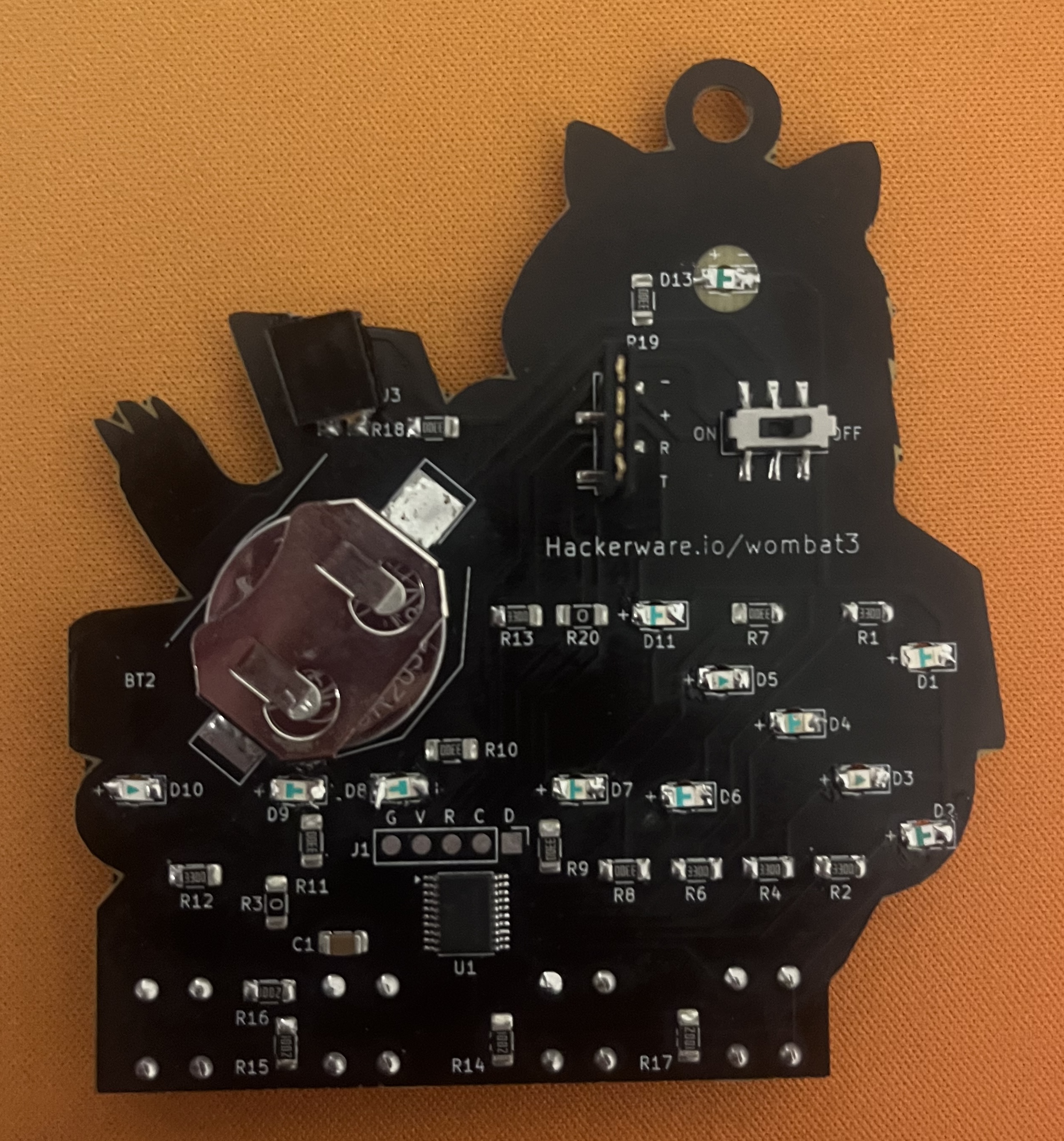
How do the badge challenges work?
This badge consists of 5 key components on first inspection
- 1x LED Eye
- 11x small LEDs
- To be soldered at hardware village
- 4x push buttons
- 1x Labelled
CTF - 1x Labelled
MODE - 2x Labelled
1and0
- 1x Labelled
- 1x 2 pin connector
- 1x 4 PIN connector labelled (
+,-,T,R)- This sure sounds like UART, look out for part 2~
From the badges website we can find further instructions on how to use the badge and what to look for in each challenge
Falken’s carked it again. Each letter of B/SIDES is an LED wired to a dead subsystem.
Solve one on this console, work out its 10-bit code, and type it into the badge.
Hold down the CTF key to put the badge in CTF mode.
Then press the binary keys slowly to input your flag.
Press and hold the MODE key to change blinking patterns.
Light all the LEDs and gain bragging rights!
Based on this it appears we are looking for 10 bit binary values, which can be entered with either 1 or 0 buttons after pressing the CTF button, if the binary was correct the LED corresponding to the challenge should light up.
On the badge website we are able to find the guide on how to solder the LEDs at the soldering workshop for the coming challenges, along with the challenges themselves.
Lets get cracking!
CHALLENGE B · POWER CORE
Cold-boot the wombat.
Stone cold and stubborn. It boots with an ID and asks for it straight back - in its own tongue.
Cold silicon hums -
seven-one-three still sleeping,
speak it back in bits.
CONSOLE READOUT
WOMBAT CTF 3.0  ::  cold boot
CORE ID .... 713   (0x2C9)
FIELD ...... 10 bits
In the “console readout” we notice its suggesting a field is 10 bits, if we convert the “CORE ID” value of 713 to binary what do we get?
713 = 10110 01001
Answer: 10110 01001
CHALLENGE / · COMMS ARRAY
Untangle the chatter.
The relay’s talking, but Falken ran it up and down the fence before it left. Straighten the rails, read the message, key the number it coughs up.INTERCEPT WOEC1IROTPRLPOS8YNAYMATCAUDI6EBNBIYEKI
This looks to be a classic CTF cipher, my first thought was a Caesar or ROT cipher, however looking into the challenge text we notice some keywords (fence and rail) lets see if there is a cipher relating to these…
Could it be the “Rail Fence Cipher”…. https://www.dcode.fr/rail-fence-cipher
Putting the string in and running a quick brute force reveals WOMBATOPTICRELAYUPCODEIS186KEYINBINARY
186 = 10111010
Wait we need 10 bits… lets pad it with some 0s
Answer: 00101 11010
CHALLENGE S · RUNE CACHE
Read the old wombat’s runes.
Before there was Wombat OS there were wombat runes. Falken carved the unlock into the stave. Sound it out with the runic key, then read the number aloud.
CARVED INTO THE STAVE :: TRANSLITERATE THE RUNES

Transliterate → you’ll get three number-words. Read them as digits, then key that number in binary.
This one was a bit of a puzzle but looking around for “runes” and “ctfs” revealed a common rune is the “Elder Futhark” and this matches it perfectly!
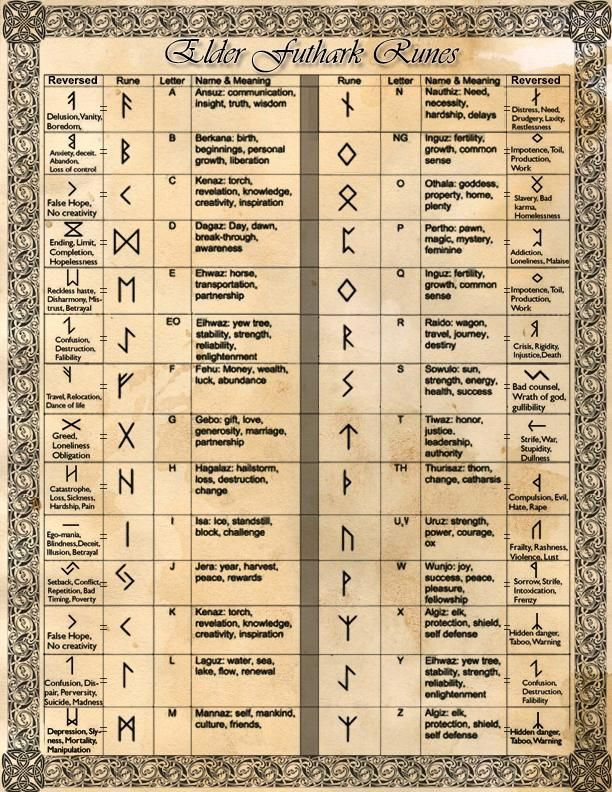
E-I-G-H-T-Z-E-R-O-S-I-X
806 = 1100100110
Answer: 11001 00110
CHALLENGE I · OPTIC SENSOR
Let the eye focus.
The red eye’s trying to scan something it can’t quite lock onto. Point your own scanner at it and read what the optic array sees.
Red eye can’t focus -
hold the square up to the light,
the number swims clear.
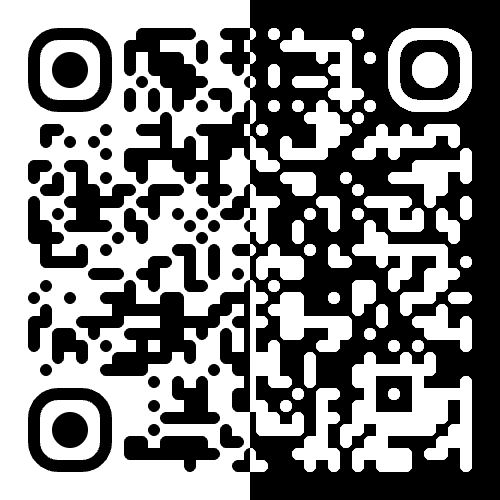
Scan the QR → it reports the optic unlock. Convert to 10-bit binary.
This was a super simple challenge all we have to do is invert the colour of either side, to produce a normal QR code that can be scanned by a phone etc, upon scanning we get a URL which doesnt lead anywhere but looking at the URL path we see the code : https://hackerware.io/0-one-1-1-zero-one-zero-1-?-?
01110101??
Leaving just 2 bits unknown, this is simple enough to just brute force now and after just two attempts we get it!
Answer: 01110 10101
CHALLENGE D · FAB VAULT
Check the blueprints, cobba.
Every board leaves a paper trail. Falken stamped the auth unlock into the fab files and buried it in the silkscreen.
Open the Gerbers in any viewer. Convert to binary.
Opening the gerber files in an online gerber viewer quickly shows a string of random characters in the layers, lacking the ability to select and copy the text directly I simply screenshotted the text and let OCR do its work
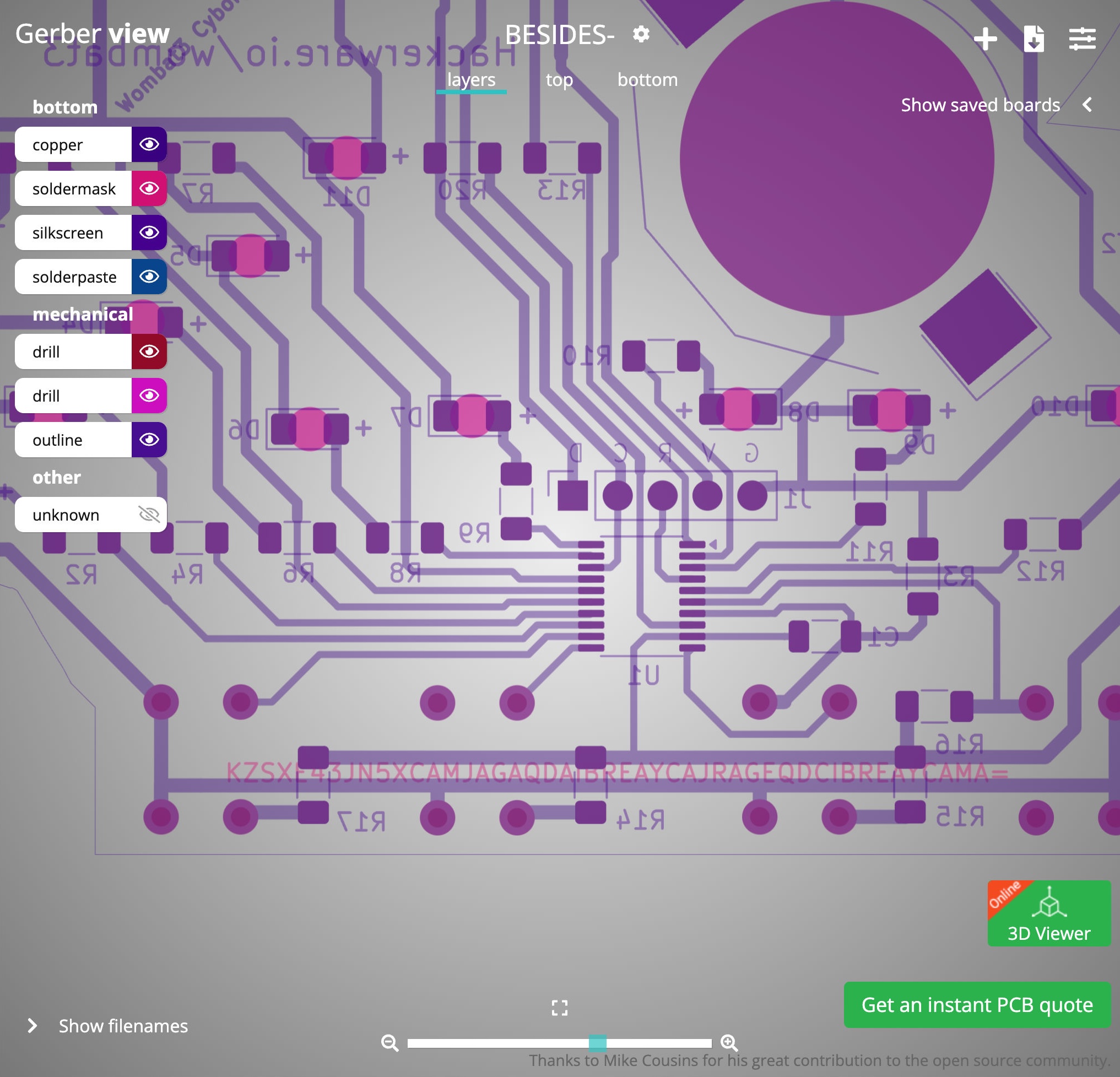
The trailing = made me think of base encoding so lets check that out in CyberChef, pasting the text we quickly see it identifies as Base32 and decodes it
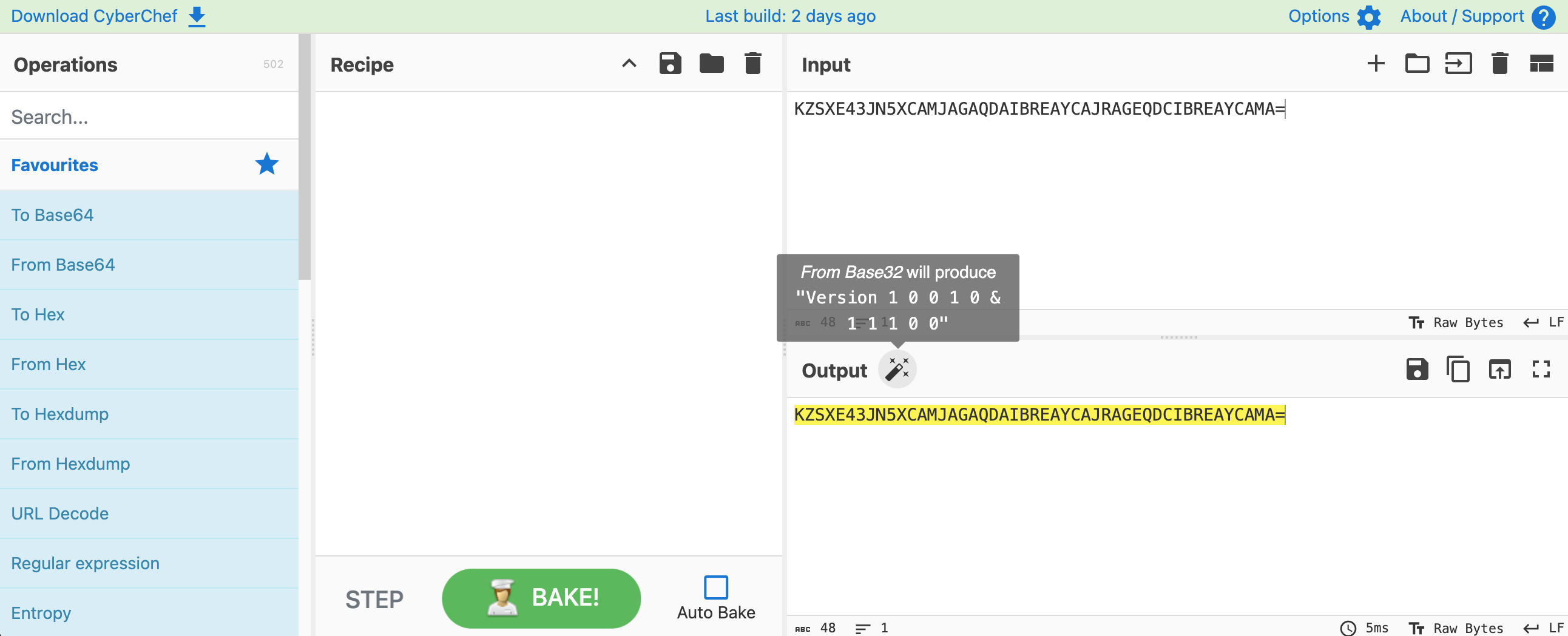
Version 1 0 0 1 0 & 1 1 1 0 0
Answer: 10010 11100
CHALLENGE E · LOGIC ARRAY
Trace the gates.
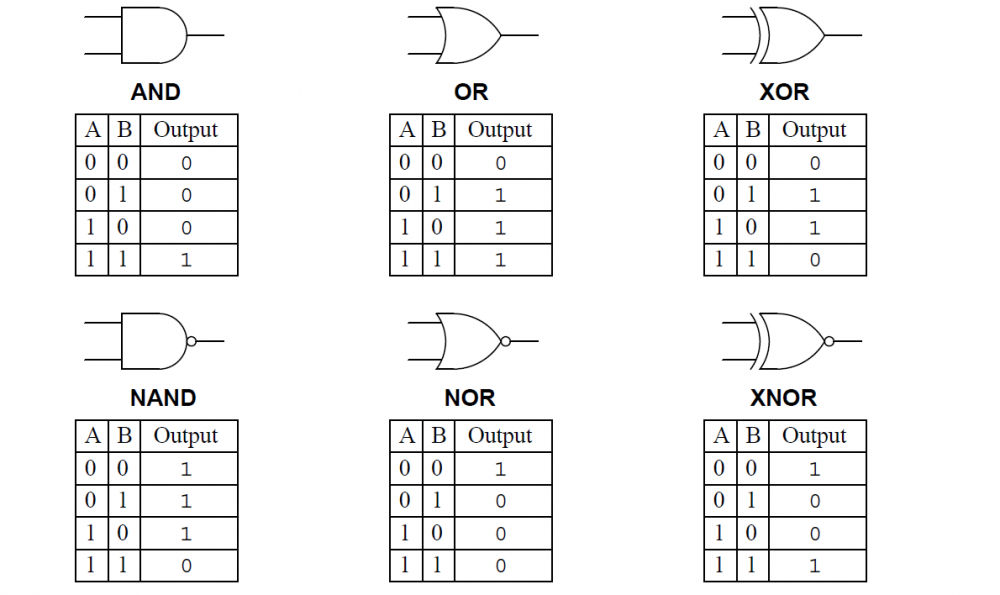
Ten rungs of logic, and it gets nastier the further down you go. Every rung takes fixed 1s and 0s and spits a single bit at the ?. Work each one out, stack them top to bottom - that’s your 10 bits.& AND ≥1 OR =1 XOR ▷∘ NOT ∘ bubble = inverted (NAND / NOR / XNOR) ● = 1 ○ = 0
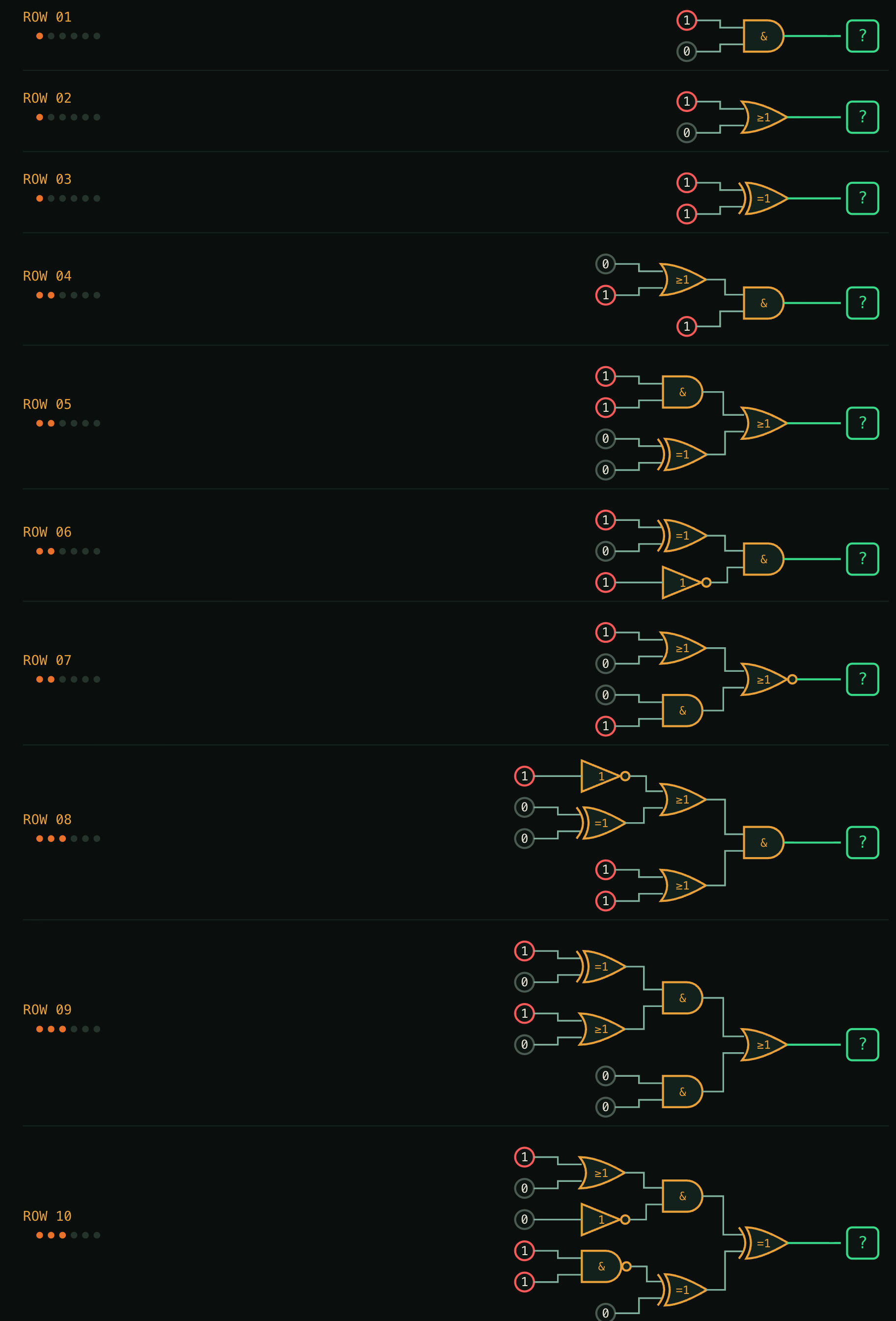
This challenge is straight forward, simply run the inputs through the gates and calculate the output of each row
For row 1 that would be a simple AND between the two inputs of 1 and 0, which would equal 0 as an AND gate would require both inputs to be 1 to equal 1
Answer: 01011 00011
CHALLENGE S · VAULT LOCK
Crack the router’s little secret.
Some sparky wired the vault to an old box and left a$9$secret sitting in the config. That’s obfuscation, not encryption - peel it and it’ll tell you exactly what it wants.
config fragment
set system login vault secret $9$iHm5n6AOIcjinCtuEhcyreMXaJDiHqKvWLx7dVwY2oGD3n/0BITQRhSyKv4aJZik.P5TQFGU69CA0OLx7NwY
Decode the string → it spells the flag out for you, bits and all.
The clues on this challenge point to a “router” and provides a config snippet, with my background is networking this looks very much like a Juniper command.
Just like a Cisco Type 7 password protection… this Juniper one is 100% reversible and websites exist that will handle this (not recommend for real world situations…)
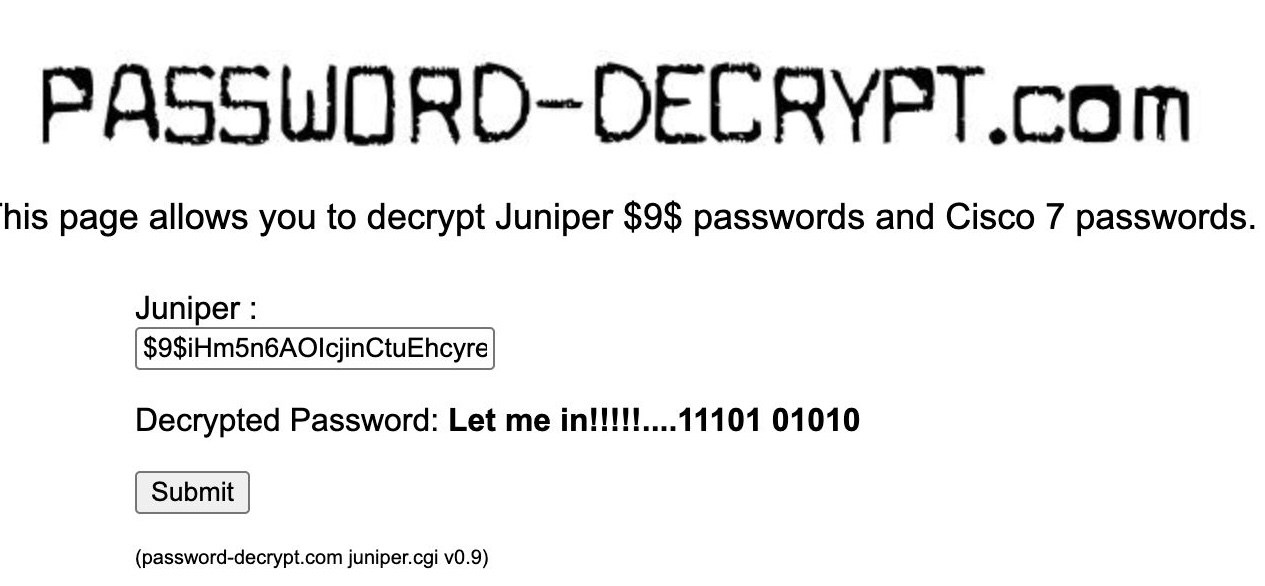
Answer: 11101 01010
Wrap up
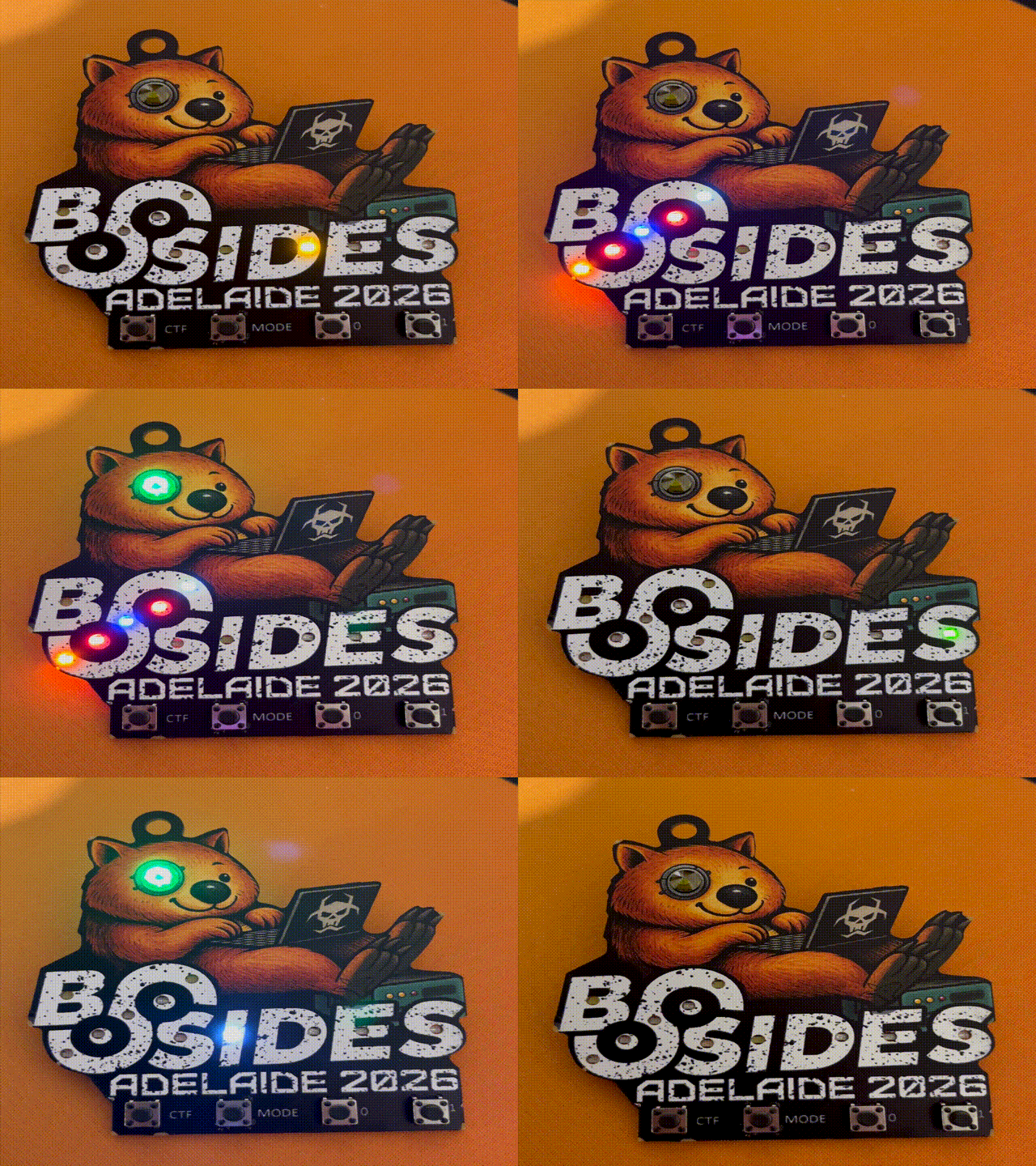
After we enter all the answers, we can enjoy a nice light show on the badge and display it proudly throughout the conference.
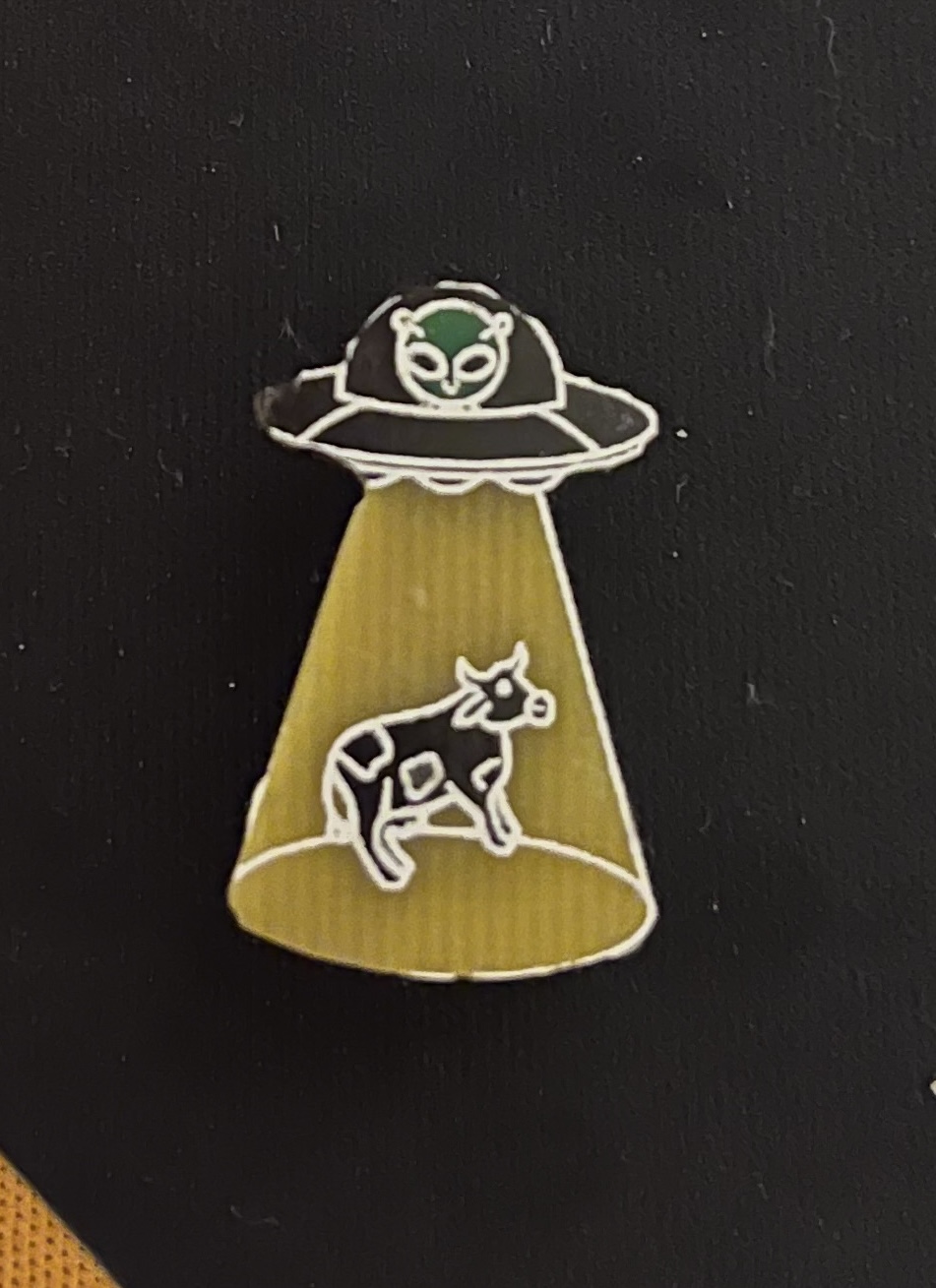
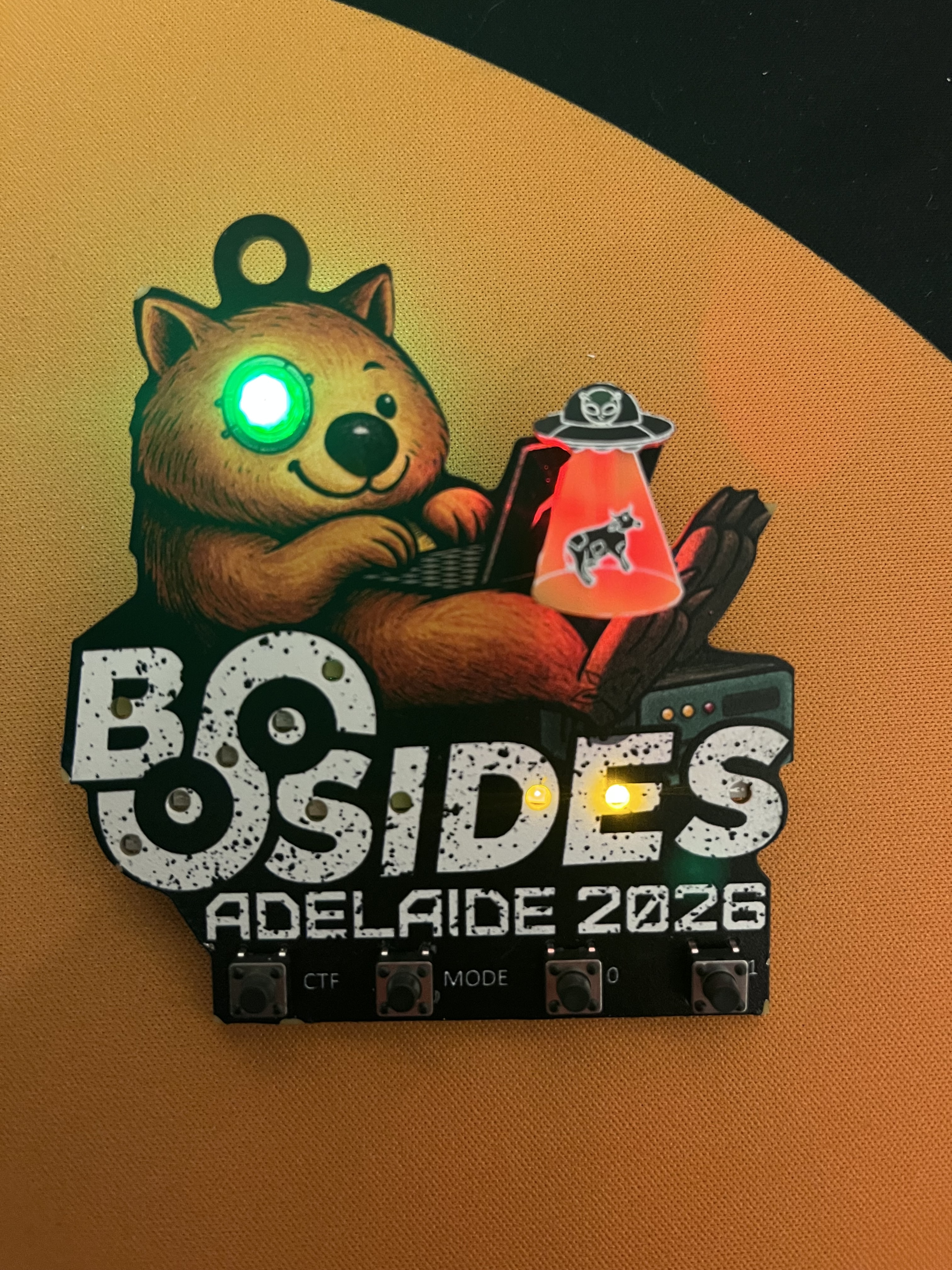
Returning to the soldering workshop, we discover that unlocking all 7 challenges we receive a small little UFO PCB with a RGB light that attaches to the previously unknown 2 pin connector on the badge!
We do however still have one question… what was on that UART connector on the back of the badge? Stay tuned for part 2 of this writeup